VNC console: what the prototype adds beyond the Figma
The prototype builds Ken's "Harvester VNC Console" design with Rancher's Rc components. While building it, we added a few things the file doesn't cover. Each one is below, with Ken's frame next to the prototype where there is one. The prototype screenshots are from the live preview on Harvester v1.9.0-rc4 (VM ttt), taken on 26 Oct 2026. The design is the Figma version from 23 Oct. Today's "Exploration: centered identity" section only adds new frames and doesn't change any of the ones shown here.
- Decided with the team, need a design: View only, keys that change with the held modifiers, a fuller full screen bar, and a reason line in the Shortcut keys menu.
- States the file doesn't have: VM not running or starting, console in use by someone else (with Take over), and reconnecting.
- Small details: a gap in the focus ring, Automatic scaling help text, a toolbar that wraps, key recorder behaviour, and Prime branding.
Decided with the team
These change what users see and do. We picked a behaviour to keep the prototype moving, but each one still needs a proper design.
1 View only Decided, needs design
The console on main has a View only mode: mouse and keys are not sent to the VM, so you can watch without typing into it. The Figma has no view-only state, so we put it in the connection menu as a checkbox. When it's on:
- The pill reads Connected (view only).
- Ctrl+Alt+Del and the keys in Shortcut keys are disabled. Soft reboot still works, because it doesn't go through the console.
- The hint under the screen explains it and says where to turn it off.
- The setting is remembered in this browser.
We first tried it inside the View panel, but "View" reads like display settings and the toggle got lost there.
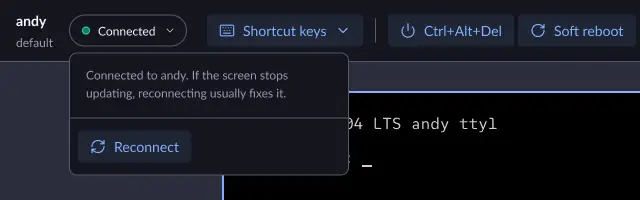
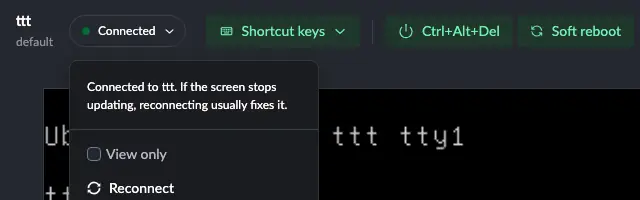


Needs from design: where View only lives, and how the page shows it's on. The pill text and hint are placeholders.
2 Keys change with the held modifiers Decided, needs design
In the Figma, the Keys section is always Print Screen plus F1–F12. The old console menu also sent Ctrl+N, Ctrl+T, Ctrl+W and Ctrl+Y, which the browser normally takes for itself. To keep those, the keys under Hold modifiers now change with what's held:
- Nothing or Alt: Print Screen and F1–F12, as in the Figma.
- Ctrl: N, T, W, Y.
- Ctrl + Alt: Del, which opens the same confirmation as the Ctrl+Alt+Del button, plus F1–F12 for switching Linux terminals (Ctrl+Alt+F2 and so on).
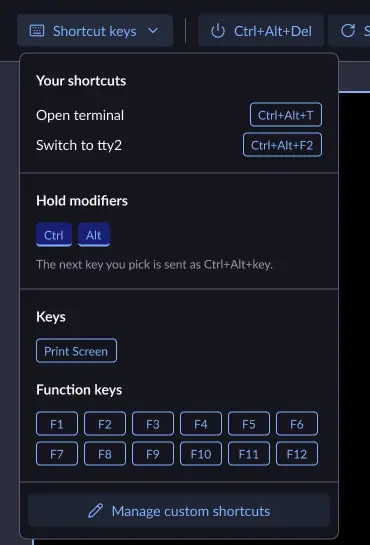
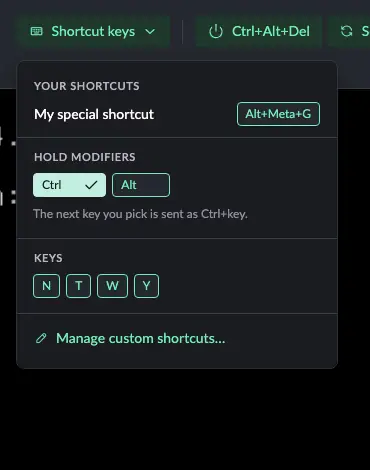
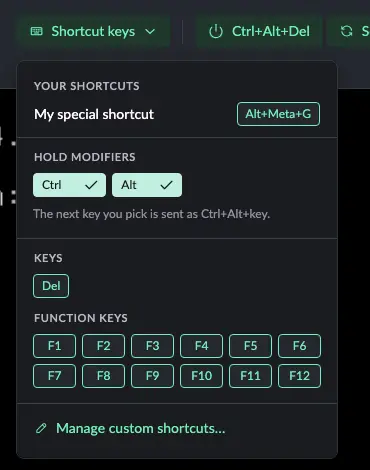
Other differences you can see in these menus come from the Rc dropdown component, not decisions: its group labels are uppercase, and the selected modifiers show a check mark.
Needs from design: whether the keys should follow the modifiers like this, or the Ctrl letters should live somewhere else.
3 More in the full screen bar Decided, needs design
Ken's full screen bar has the name, the connection pill and Exit full screen. In full screen the toolbar is gone, so there was no way to send a shortcut or Ctrl+Alt+Del without leaving full screen. The prototype adds Shortcut keys and Ctrl+Alt+Del to the bar. Full screen covers the whole page, so the menus and confirmation dialogs still open on top of it.


Needs from design: the full screen bar with these two controls. The new "Exploration: centered identity" frame also leaves them out (they're hidden layers there), so this is worth settling before choosing between the two layouts.
4 Why the keys are disabled Decided, needs design
The Figma shows the Shortcut keys menu only while connected. In the prototype the menu always opens. When keys can't be sent (disconnected, VM not running, or view only), the keys are disabled, a line at the top says why, and Manage custom shortcuts still works.
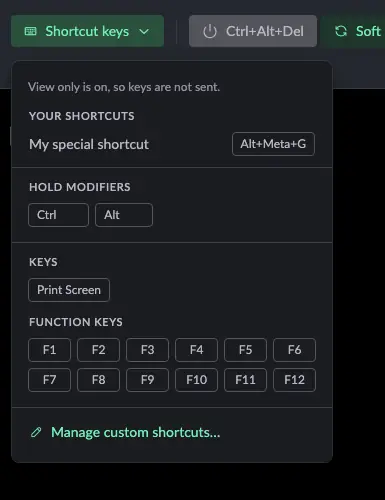
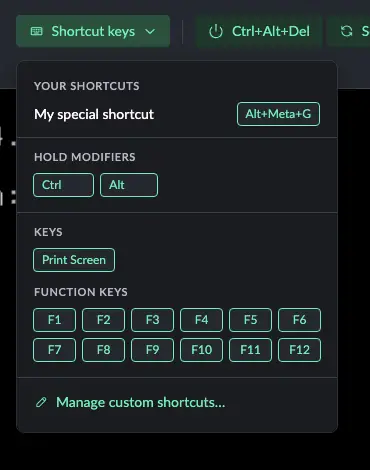
Needs from design: the disabled menu and its message.
States the file doesn't have
The Figma has Connected, Connecting and Connection lost. The console can also be in these states, so the prototype reuses Ken's status card, icons and buttons for them.
5 VM not running, or starting New state
VNC only works while the VM runs. The prototype shows a power icon card, a Not running pill and no hint. While the VM boots it says it's starting and connects by itself once the VM is running. Ctrl+Alt+Del is disabled; Soft reboot stays available when the VM supports it.

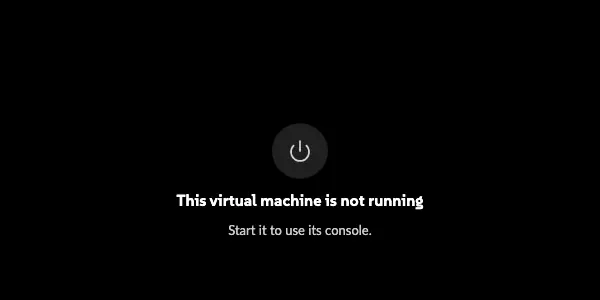
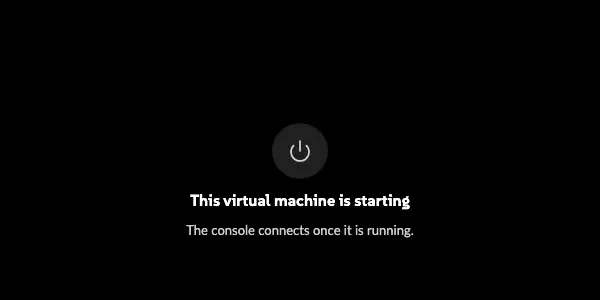
Needs from design: the not-running and starting screens, the pill, and which buttons stay enabled.
6 Console in use by someone else, and Take over New state
Harvester (v1.7 and later) keeps one VNC session per VM and refuses a second one while someone has the console open. When that happens, the prototype explains that instead of showing "Connection lost", and offers Take over, which asks for confirmation before disconnecting the other person. It uses Ken's Connection lost layout with different text and a second button.

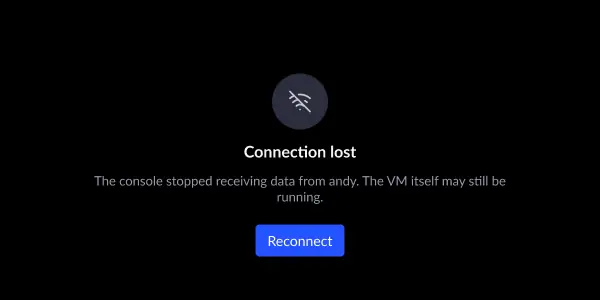

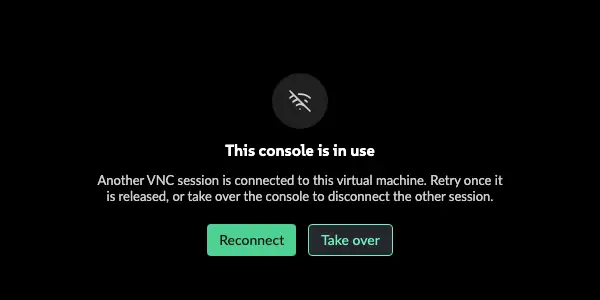
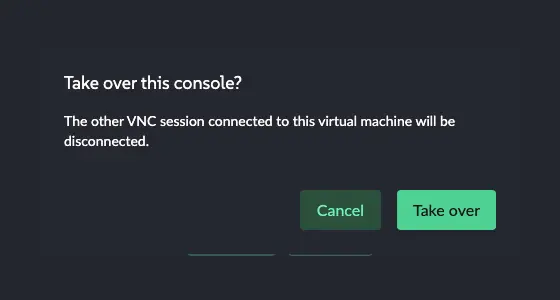
Needs from design: the in-use screen and the Take over confirmation.
7 Reconnecting New state
When the connection drops, the console retries by itself up to 10 times, waiting longer each time. While it waits, the Connecting screen shows the attempt number and a Reconnect now button so nobody has to wait for the next attempt.
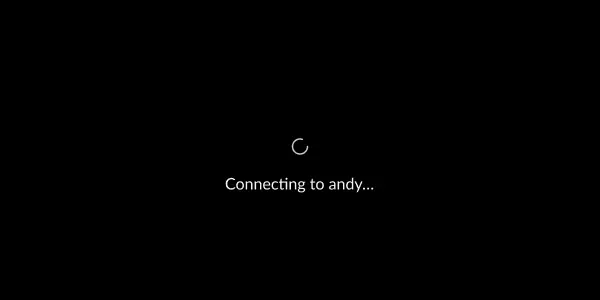
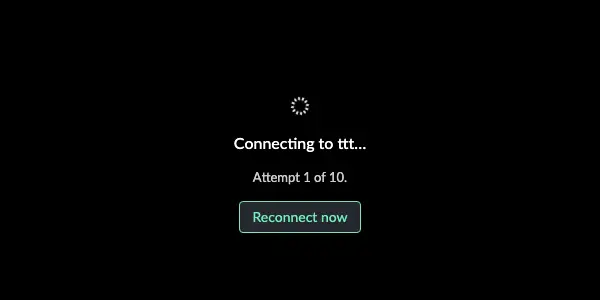
Needs from design: a quick look; the layout is Ken's Connecting screen with two extra lines.
Small details
Probably fine as they are, but listed so nothing is a surprise.
8 Focus ring with a gap Detail
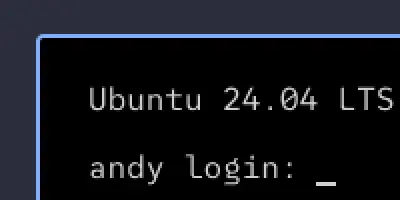
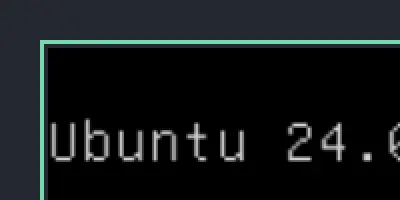
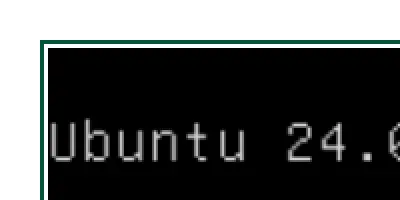
The focus ring sits 2px away from the screen. In the light theme, the focus colour is a very dark green, and a ring drawn right against the black screen couldn't be seen. The gap is the page background: white in light, dark in dark, so it only shows in light.
9 Automatic scaling help text Detail
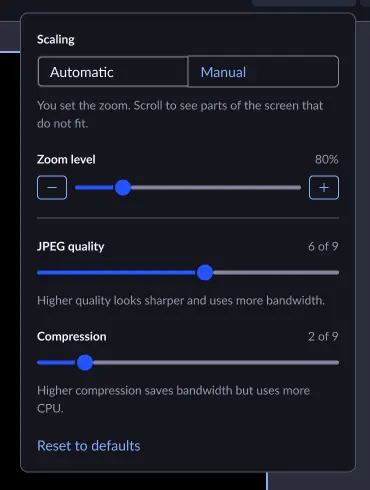
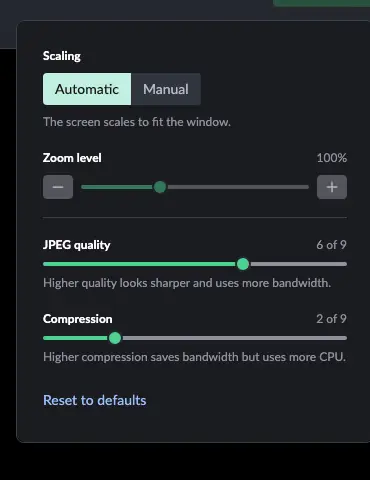
Ken's View panel has help text for Manual only. For Automatic, the prototype says "The screen scales to fit the window." That wording is ours.
10 Toolbar wraps on narrow windows Detail
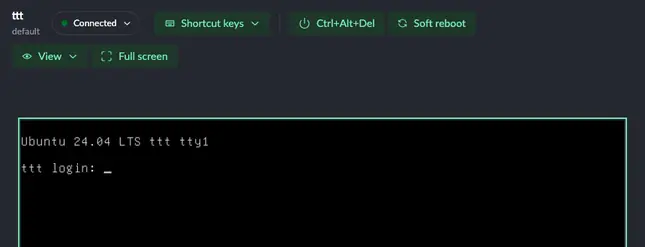
The Figma is 1440px wide. In a narrower window, the toolbar drops View and Full screen onto a second line instead of overflowing or cutting off buttons.
11 Key recorder behaviour Detail
Behaviour in the Manage custom shortcuts dialog that a static frame can't show:
- Enter in the name field adds the shortcut.
- Esc or Tab on their own stop recording instead of being recorded, so keyboard users can leave the field.
- A modifier on its own waits for the next key.
- Recording a key combination that's already saved shows "This key combination is already saved." and disables Add.
- Shortcuts save as soon as they're added or removed; Done just closes.
- On a Mac, Option+letter is saved as the letter (Option+G is saved as Alt+G, not ©).
12 Prime branding Detail
On a Prime install, standalone Harvester now uses the SUSE brand colours, the same as Rancher Prime, instead of only changing the primary green. That's why the prototype's buttons are green in these screenshots. This is a prototype stand-in for the official branding fix being done separately, not a design change.